Stop Wasting Time Hunting for Ad Specs: The 2026 Complete Ad Dimensions Guide
- Mauricio Martinez
You’re briefing a designer for a Facebook campaign. You need Instagram Story dimensions. Your client asks about LinkedIn specs. You end up with seven browser tabs open, three outdated blog posts, and conflicting information from 2023.
Every week, advertisers waste hours hunting for updated creative specs across multiple platforms. According to Meta’s official ad guide, specs change regularly as platforms optimize for new devices and user behaviors. What worked last quarter might get auto-cropped today.
This guide solves that problem. Below are accurate, up-to-date image and video dimensions for every major advertising platform. Bookmark this page, share it with your team, and use it to brief designers without the guesswork.
What You'll Find Here
This is your single source for ad specifications across:
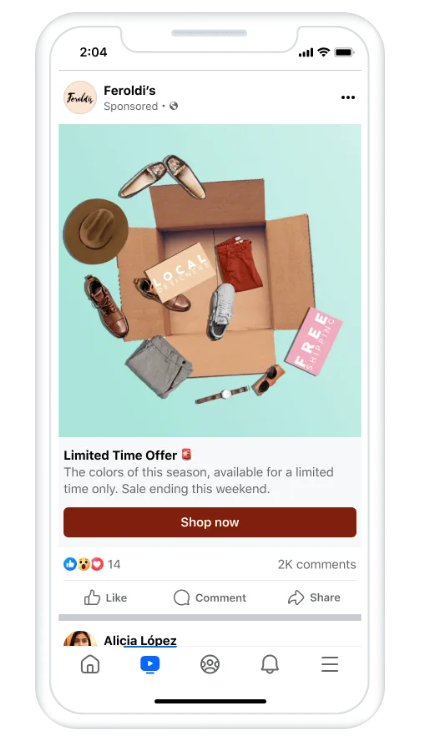
Meta Ads (Facebook & Instagram): Feed, Stories, Reels specs for both image and video
LinkedIn Ads: Horizontal, square, and vertical formats with mobile/desktop distinctions
Google Ads: Responsive Display Ads and YouTube video requirements
TikTok Ads: In-Feed and Spark Ads with safe zone guidance
Pinterest Ads: Standard and square pins for image and video
X (Twitter) Ads: Single image, website cards, and promoted video specs
YouTube Ads: Skippable, non-skippable, bumper, and Shorts formats
Reddit Ads: Feed image and video specifications
Each platform includes both image and video specs, file size limits, aspect ratios, and mobile versus desktop requirements where relevant.
Meta Ads (Facebook & Instagram)
Meta’s official specifications cover both Facebook and Instagram placements. These are the most commonly used formats.
Feed Images (Desktop & Mobile)
1:1 Square Format
- Size: 1080 × 1080 px
- Use case: Standard format working across Facebook and Instagram Feed
- File type: JPG or PNG
- Max file size: 30 MB
- Min resolution: 600 × 600 px
4:5 Vertical Format
- Size: 1440 × 1800 px
- Use case: Recommended for more screen real estate on mobile
- Performance: Meta’s data shows 4:5 images typically outperform 1:1 for engagement
- File type: JPG or PNG
- Max file size: 30 MB
Stories & Reels Images (Mobile Only)
9:16 Vertical Format
- Size: 1080 × 1920 px
- Use case: Full-screen vertical for Instagram Stories, Facebook Stories, and Reels
- Safe zone: Keep critical elements in center 1080 × 1350 px to avoid UI overlap
- File type: JPG or PNG
- Max file size: 30 MB
Feed Videos (Desktop & Mobile)
Square or Vertical Format
- Aspect ratios: 1:1 (square) or 4:5 (vertical) recommended
- Resolution: Minimum 1080 × 1080 px (1:1) or 1080 × 1350 px (4:5)
- Duration: 1 second to 241 minutes
- Optimal length: 15-30 seconds for highest engagement
- File type: MP4 or MOV recommended
- Max file size: 4 GB
- Frame rate: 30 FPS maximum
Stories & Reels Videos (Mobile Only)
Vertical Format
- Aspect ratio: 9:16
- Resolution: 1080 × 1920 px minimum
- Duration: Up to 60 seconds (Reels), up to 120 seconds (Stories)
- File type: MP4 or MOV
- Max file size: 4 GB
Pro tip: Always upload both 1:1 and 4:5 versions for Feed placements. Let Meta’s algorithm test which performs better for your audience.
LinkedIn Ads
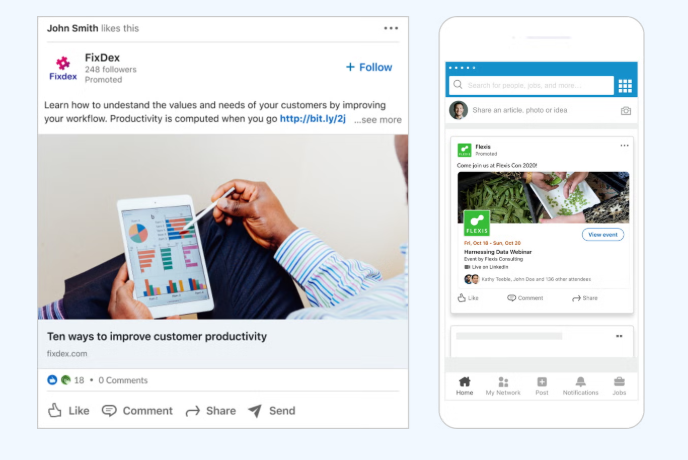
LinkedIn’s official ad specifications offer more aspect ratio flexibility than most platforms, but that creates confusion. Here’s what actually works.
Horizontal / Landscape Images (Desktop & Mobile)
1.91:1 Format
- Size: 1200 × 628 px
- Use case: Standard landscape, matches Facebook link posts for easy repurposing
- File type: JPG, PNG, or GIF (non-animated)
- Max file size: 5 MB
Square Images (Desktop & Mobile)
1:1 Format
- Size: 1200 × 1200 px
- Use case: Works well for mobile-first campaigns
- File type: JPG, PNG, or GIF (non-animated)
- Max file size: 5 MB
Vertical Images (Mobile Only)
LinkedIn recommends vertical formats for mobile, but they deliver only to mobile devices.
Three accepted ratios:
- 1:1.91 = 628 × 1200 px
- 2:3 = 600 × 900 px
- 4:5 = 720 × 900 px
- File type: JPG, PNG, or GIF (non-animated)
- Max file size: 5 MB
Recommendation: Stick with 1200 × 1200 px square or 1200 × 628 px landscape. Vertical formats rarely justify the extra production complexity unless you’re running mobile-only campaigns.
Video Specifications (All Placements)
Accepted Formats
- Aspect ratios: 1:1 (square), 1:2.4 (vertical), 16:9 (horizontal)
- Resolution: Minimum 360p, 720p or higher recommended
- Duration: 3 seconds to 30 minutes
- Optimal length: 15-30 seconds
- File type: MP4
- Max file size: 200 MB (5 GB for native uploads)
- Frame rate: 30 FPS recommended
Pro tip: B2B audiences read more and engage differently than B2C. Use landscape format with clear headlines and readable text.
Google Ads
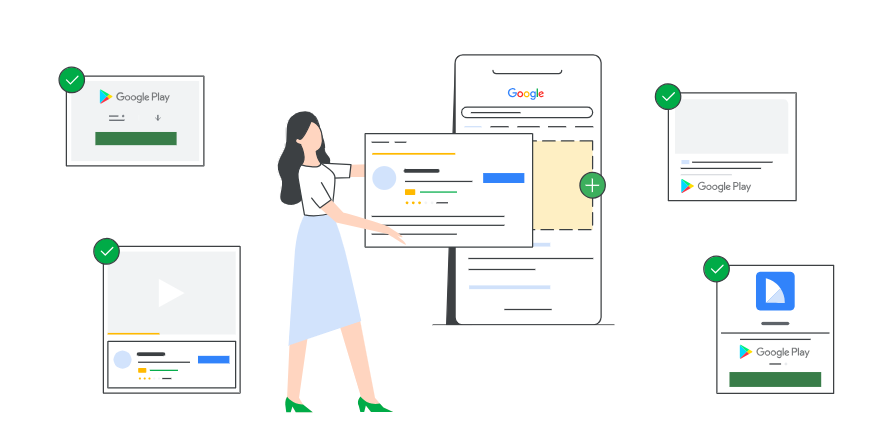
Google’s Responsive Display Ads automatically adjust size and format to fit available ad spaces across the Display Network. You upload assets, Google assembles them.
Responsive Display Ads: Images
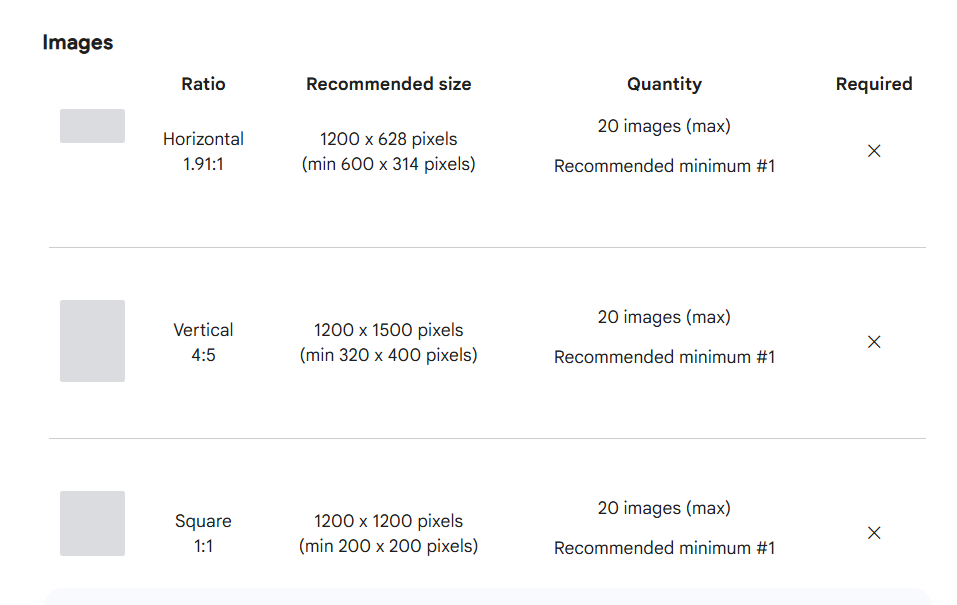
Landscape (1.91:1): Desktop & Mobile
- Recommended: 1200 × 628 px
- Minimum: 600 × 314 px
- File type: JPG or PNG
- Max file size: 150 KB per image
- Note: Use recommended size; Google compresses aggressively
Square (1:1): Desktop & Mobile
- Recommended: 1200 × 1200 px
- Minimum: 300 × 300 px
- File type: JPG or PNG
- Max file size: 150 KB per image
- Note: Always upload square assets alongside landscape
Portrait (4:5): Primarily Mobile
- Recommended: 960 × 1200 px
- Minimum: 480 × 600 px
- Alternative: 1200 × 1500 px
- File type: JPG or PNG
- Max file size: 150 KB per image
YouTube & Display Network Videos
Standard Video Ads
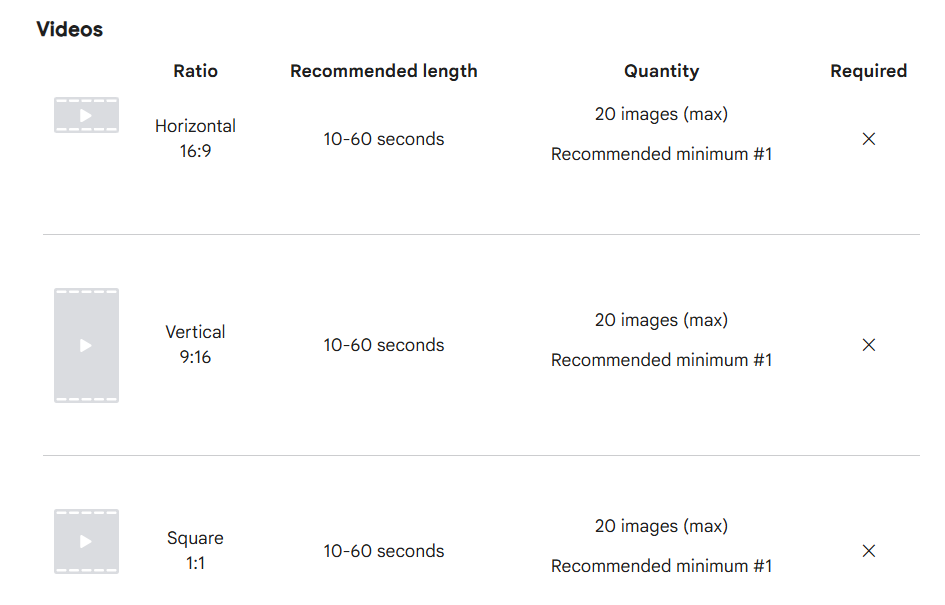
- Aspect ratios: 16:9 (horizontal), 9:16 (vertical), 1:1 (square)
- Resolution: 1920 × 1080 px (16:9), 1080 × 1920 px (9:16), 1080 × 1080 px (1:1)
- Duration: 6 seconds to 3 minutes (varies by format)
- File type: MP4, AVI, MOV, MPEG
- Max file size: 1 GB
- Codecs: H.264 video, AAC audio
Pro tip: Upload at least 5 images per aspect ratio for RDAs. Google’s machine learning performs better with more assets to test and combine.
TikTok Ads
TikTok’s ad specifications are optimized for mobile-first, vertical video. All TikTok placements are mobile only.
In-Feed Image Ads (Mobile Only)
Accepted Formats
- Aspect ratios: 9:16 (vertical), 1:1 (square), 16:9 (horizontal)
- Common sizes: 720 × 1280 px (vertical), 1200 × 628 px (horizontal), 640 × 640 px (square)
- File type: JPG, JPEG, PNG
- Max file size: 100 MB
In-Feed Video Ads (Mobile Only)
Vertical Format (Recommended)
- Aspect ratio: 9:16
- Resolution: 1080 × 1920 px recommended (minimum 540 × 960 px)
- Duration: Up to 10 minutes (9-15 seconds optimal for engagement)
- File type: .mp4, .mov, .mpeg, .3gp, .avi
- Max file size: 500 MB
- Bitrate: 516 kbps or higher
- Frame rate: 23-30 FPS
Other Supported Formats
- 1:1 (square): 640 × 640 px minimum, 1080 × 1080 px recommended
- 16:9 (horizontal): 960 × 540 px minimum
Safe Zones for TikTok
According to QuickFrame’s analysis, TikTok UI elements overlap ad creative. Keep critical elements centered:
- 80px from sides
- 160px from top
- 440px from bottom free of branding
- Place main content at center
Pro tip: Win the first second. Your hook is your targeting on TikTok. If you don’t stop the scroll immediately, the specs don’t matter.
Pinterest Ads
Pinterest’s official specifications favor vertical formats since most users browse on mobile.
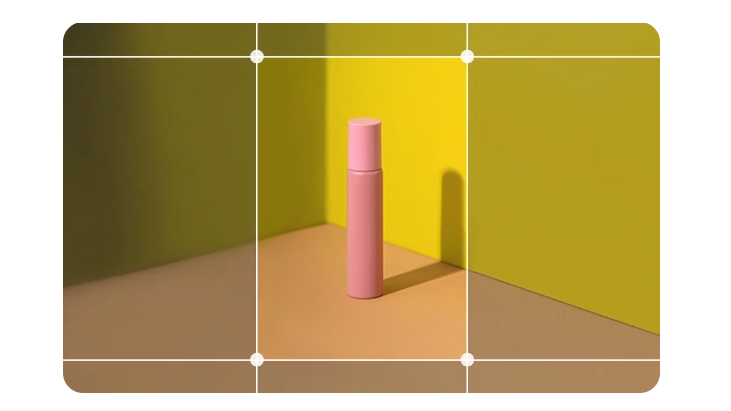
Standard Pin Images (Desktop & Mobile)
Vertical Format (Recommended)
- Aspect ratio: 2:3
- Recommended size: 1000 × 1500 px
- Minimum size: 600 × 900 px
- File type: PNG or JPG
- Max file size: Desktop 20 MB, In-app 32 MB
Square Format
- Aspect ratio: 1:1
- Recommended size: 1000 × 1000 px
- File type: PNG or JPG
- Max file size: Desktop 20 MB, In-app 32 MB
Standard Width Video Pins (Desktop & Mobile)
Multiple Aspect Ratios
- Aspect ratios: 1:1 (square), 2:3 (vertical), 4:5, or 9:16 (full screen vertical)
- Recommended: 1000 × 1000 px (square) or 1000 × 1500 px (vertical)
- Duration: 4 seconds to 15 minutes (6-15 seconds optimal)
- File type: .mp4, .mov, .m4v
- Max file size: 2 GB
- Encoding: H.264 or H.265
Max Width Video Ads (Mobile Only)
Paid Format Only
- Aspect ratio: Cannot exceed height of 1:1 aspect ratio
- Duration: 4 seconds to 15 minutes (6-15 seconds optimal)
- File type: .mp4, .mov, .m4v
- Max file size: 2 GB
- Encoding: H.264 or H.265
- Note: Videos expand across entire mobile feed
Carousel Ads (Desktop & Mobile)
Multi-Image Swipeable Format
- Cards: 2 to 5 images per carousel (non-catalog), 2 to 10 images/videos (catalog sales)
- Aspect ratio: 1:1 or 2:3
- File type: .PNG or .JPEG (static), or video
- Max file size: 20 MB per image
- Use case: Product showcases, step-by-step guides, storytelling
Collection Ads (Mobile Only)
One Hero + Multiple Secondary Images
- Hero creative: 1:1 or 2:3 aspect ratio
- Secondary creatives: Minimum 3, maximum 24 cards (all must have same aspect ratio: 1:1 or 2:3)
- Recommended: 1:1 secondary ratio for best control
- File type: .PNG or .JPEG for images, .mp4/.mov/.m4v for hero video
- Max file size: 10 MB images, 2 GB video
- Note: Hero creative can be image or video
Idea Ads (Desktop & Mobile)
Multi-Page Storytelling Format
- Resolution: 1080 × 1920 px (9:16 ratio) recommended for full-bleed
- File type: Images (.BMP, .JPEG, .PNG, .TIFF, .WEBP), Videos (.mp4, .mov, .m4v)
- Max file size: Android/iOS 2 GB, Web 100 MB
- Video duration: Maximum 5 minutes
- Safe zones: Top 270px, Left 65px, Right 195px, Bottom 440px
- Use case: Multi-page stories with images, videos, lists, and custom text
Pro tip: First 3 seconds are crucial on Pinterest. Most users watch without sound, so use text overlays or strong visual hooks. For complete specifications on Showcase Ads and Quiz Ads, visit Pinterest’s official ad specs page.
X (Twitter) Ads
X’s creative specifications support both square and landscape formats for most placements.
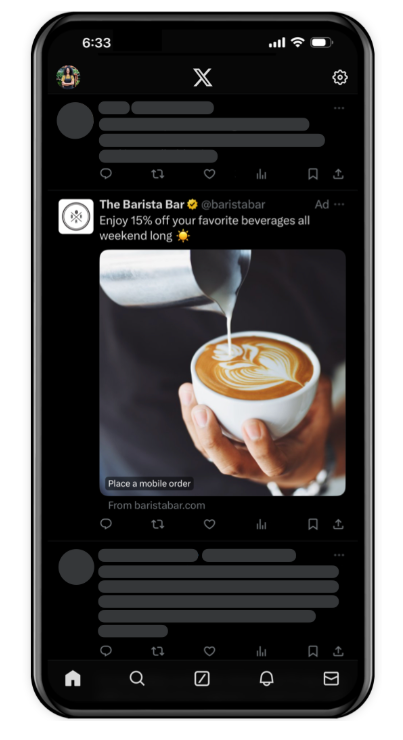
Single Image Ads (Desktop & Mobile)
Square or Landscape
- Aspect ratios: 1:1 (square) or 16:9 (landscape)
- Recommended size: 1200 × 1200 px (1:1) or 1200 × 675 px (16:9)
- File type: PNG or JPG
- Max file size: 5 MB
Website Card Images
- Aspect ratio: 1.91:1
- Recommended size: 800 × 418 px
- File type: PNG or JPG
- Max file size: 5 MB
Promoted Video (Desktop & Mobile)
Square or Landscape (Recommended)
- Aspect ratios: 1:1 (square) or 16:9 (landscape)
- Resolution: 1280 × 720 px minimum (16:9) or 720 × 720 px (1:1)
- Duration: 0:15 to 2:20 maximum
- Optimal length: 15-30 seconds for highest engagement
- File type: MP4 or MOV
- Max file size: 1 GB
- Frame rate: 29.97 FPS or 30 FPS
YouTube Ads
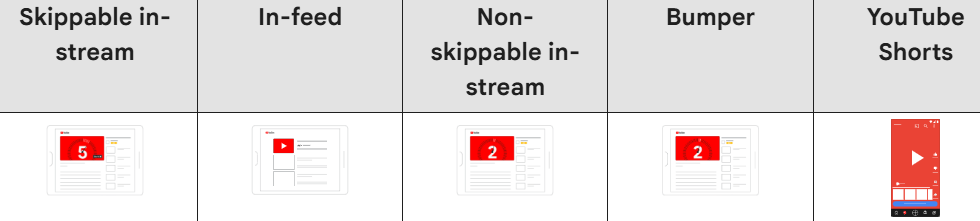
YouTube’s ad specifications vary significantly by ad type. All formats support both desktop and mobile.
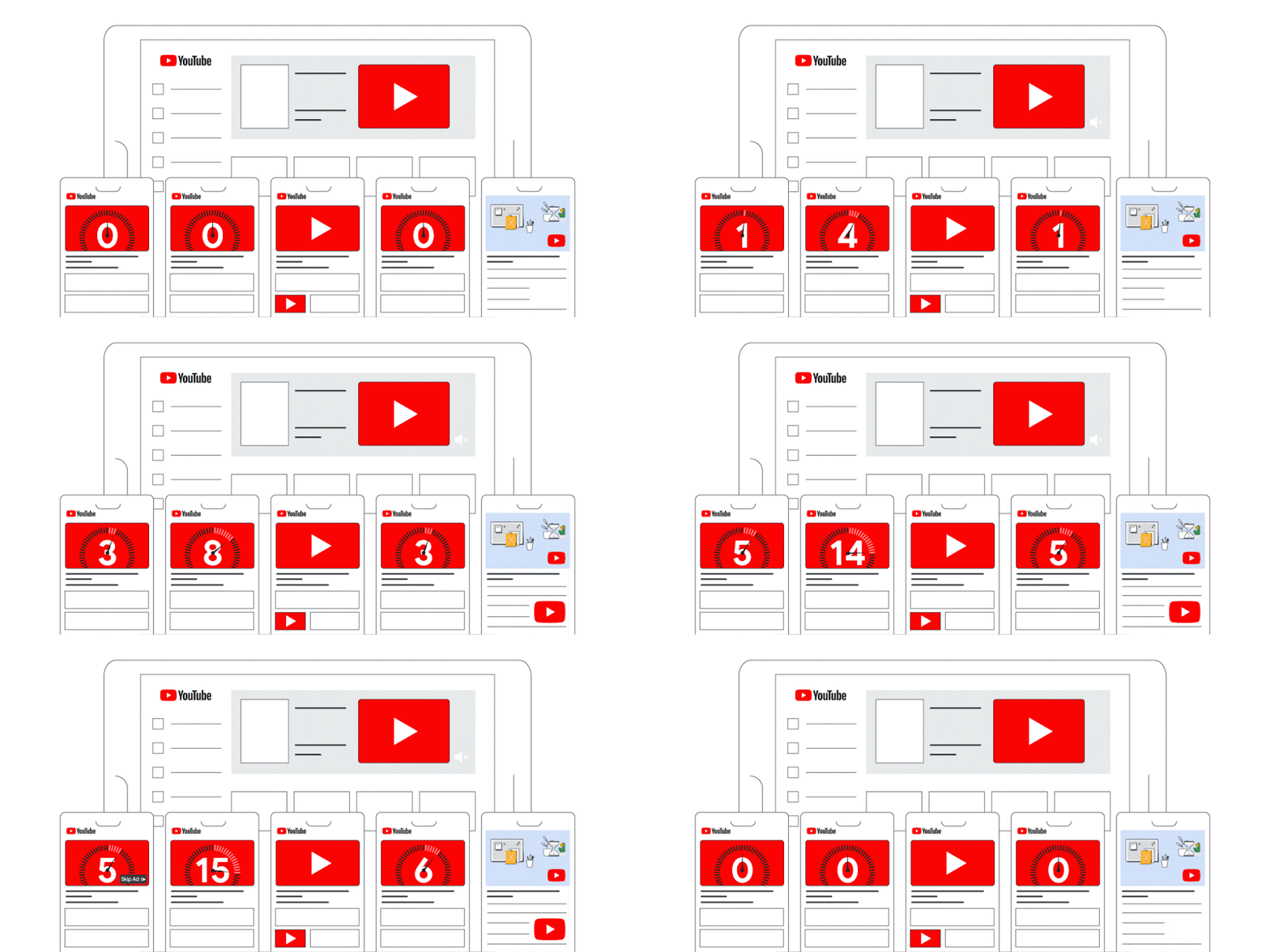
Skippable In-Stream Ads
Horizontal or Vertical
- Aspect ratio: 16:9 (horizontal) or 9:16 (vertical)
- Resolution: 1920 × 1080 px (16:9) or 1080 × 1920 px (9:16)
- Duration: 12 seconds to 6 minutes
- Optimal length: 15-30 seconds
- File type: MP4, AVI, MOV, MPEG, FLV
- Codec: H.264 video, AAC audio
Non-Skippable In-Stream Ads
Horizontal Only
- Aspect ratio: 16:9
- Resolution: 1920 × 1080 px
- Duration: 15 seconds or 20 seconds (fixed lengths only)
- File type: MP4, AVI, MOV, MPEG, FLV
- Codec: H.264
Bumper Ads
Horizontal Short Form
- Aspect ratio: 16:9
- Resolution: 1920 × 1080 px
- Duration: 6 seconds (fixed)
- File type: MP4, AVI, MOV, MPEG, FLV
YouTube Shorts Ads (Mobile Only)
Vertical Format
- Aspect ratio: 9:16
- Resolution: 1080 × 1920 px
- Duration: Up to 60 seconds
- File type: MP4
Pro tip: Use horizontal 16:9 for desktop-focused campaigns, vertical 9:16 for mobile and Shorts.
Reddit Ads
Reddit’s creative specifications support both image and video with square and vertical formats performing best.

Feed Image Ads (Desktop & Mobile)
Multiple Aspect Ratios Supported
- 1:1 (Square): 1200 × 1200 px
- 4:5 (Vertical): 1200 × 1500 px
- 4:3 (Horizontal): 1440 × 1080 px
- 16:9 (Landscape): 1920 × 1080 px
- File type: PNG or JPG
- Max file size: 20 MB
Carousel Ads (Desktop & Mobile)
Multi-Image Format
- Cards: 2 to 6 cards per carousel
- Aspect ratios: Same as single image (1:1, 4:5, 4:3, 16:9)
- Recommended size: 1200 × 1200 px per card
- File type: PNG or JPG
- Max file size: 20 MB per card
- Note: All cards in a carousel must use the same aspect ratio
Free-Form Ads (Desktop & Mobile)
Flexible Format with Multiple Media Types
- Components: Combination of images, text, videos, and GIFs
- Aspect ratios: Flexible based on component type
- Use case: Interactive storytelling, product showcases, tutorials
- File requirements: Follow standard image/video specs per component
- Note: Custom layouts and arrangements supported
Feed Video Ads (Desktop & Mobile)
Multiple Formats Supported
- Aspect ratios: 1:1 (square), 4:5 (vertical), 16:9 (horizontal)
- Resolution: 1080 × 1080 px (1:1), 1080 × 1350 px (4:5), 1920 × 1080 px (16:9)
- Duration: 5 seconds to 15 minutes
- Optimal length: 5-30 seconds
- File type: MP4 or MOV
- Max file size: 1 GB
- Frame rate: 30 FPS
Pro tip: Community-first creative performs better on Reddit than traditional ads. Ads that look native to the subreddit outperform polished brand content. Test multiple aspect ratios to see what resonates with specific communities.
How to Use This Guide Effectively
Design at recommended resolutions, not minimums. Platforms compress images aggressively during upload and serving. Starting with higher resolution ensures your ads stay sharp across all devices and placements.
Maintain aspect ratios. Platforms auto-crop images that don’t match required aspect ratios. If you upload a 1920 × 1080 px image (16:9) to a 1:1 placement, the platform crops it to square, potentially cutting off faces, products, or CTAs.
Design for safe zones. Every platform has interface elements that overlap ad creative. Instagram Stories have profile icons at the top and CTA buttons at the bottom. TikTok has UI elements along all edges. Keep critical text, faces, products, and CTAs in the center safe zone.
Test across devices. What looks perfect on your desktop monitor might be illegible on mobile. Before launching campaigns, preview your ads on actual phones and tablets.
Upload multiple formats when possible. Meta, Google, and LinkedIn all benefit from having multiple aspect ratios available. Let platform algorithms test which performs better for your audience.
Stop Guessing, Start Converting
Getting ad dimensions right is table stakes. It doesn’t make your ads great, but getting them wrong guarantees they’ll underperform.
This guide eliminates the technical guesswork so you can focus on what actually drives performance: messaging, offers, audience targeting, and creative strategy.
At Latin Launch, we don’t just help you hit specs. We build ad creatives that convert. We design for the platform, the audience, and the goal, not just the pixel dimensions. We test variations, analyze performance, and iterate based on data.
Need help building ad creatives that convert, not just fit the specs? Contact our team at Latin Launch for performance-focused creative strategy and production.
Explore More Articles